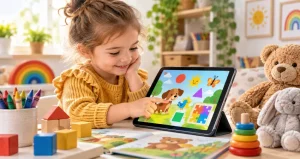
Language develops rapidly during the preschool years. Children are learning new words, improving pronunciation, following longer conversations, asking questions, telling simple stories, and beginning to notice letters and sounds. Language apps designed for preschool-age children can support some of these skills, but the quality of the experience matters far more than simply putting an “educational” label on an app.
A useful way to judge a preschool language app is to ask what happens after the device is put away. Does the child use a new word at breakfast? Retell part of a story? Point out a letter on a sign? Ask a parent to repeat a rhyme? When digital learning transfers into real conversation, books, pretend play, and everyday observation, the app is functioning as a learning tool rather than simply occupying attention.
For parents and caregivers, this means the goal is not to find an app that replaces teaching or conversation. The goal is to choose a well-designed tool that gives children another opportunity to listen, respond, experiment with language, and then use what they learned in the real world.
How Preschool Children Actually Learn Language?
Young children learn language through interaction. They hear words in meaningful situations, watch facial expressions and gestures, try words themselves, make mistakes, receive responses, and gradually understand how language works. Books, songs, storytelling, pretend play, conversations, and everyday routines all contribute to this process.
This matters when evaluating an app. A program that simply asks a child to tap pictures repeatedly may provide less meaningful language practice than one that encourages listening, prediction, speaking, storytelling, or discussing an activity with another person. The strongest digital activities support processes children already use when learning naturally.
What Makes a Preschool Language App Educational?
Research on children’s learning apps provides a useful framework. High-quality experiences tend to keep children mentally active, engaged without unnecessary distraction, connected to meaningful information, and socially involved when possible. In practical terms, the child should be thinking rather than merely tapping.
For example, an app might introduce the word “enormous” through a story about a very large elephant. A meaningful activity would then ask the child to identify another enormous object or talk about something large in the child’s own environment. That creates a connection between a digital word and an existing idea.
Important Language Skills an App Can Support
Preschool language development includes several related abilities. Vocabulary apps can introduce new words and categories. Story-based activities can strengthen listening comprehension and sequencing. Phonics activities may help children notice rhymes, syllables, letter sounds, and beginning sounds. Other programs encourage children to describe pictures, complete sentences, or record their own stories.
Parents do not need one app covering every possible skill. In fact, an app with one clearly defined purpose can be easier to evaluate. If the goal is vocabulary development, parents should be able to identify the words being taught and see whether the child understands them beyond the app.
Why Simple Design Is Often Better?
Preschool apps sometimes contain animated rewards, sound effects, moving characters, badges, and unrelated games because these features can hold attention. However, attention alone does not demonstrate learning. Decorative features can become distracting when they compete with the lesson itself.
Look for interfaces with large controls, clear spoken instructions, predictable navigation, and limited visual clutter. A child should not need strong reading skills to understand what to do. Helpful feedback should also explain or demonstrate the correct response rather than simply producing a cheerful sound after every tap.
You May Like: Top Preschool Curriculum Subscriptions Compared
The Value of Learning Together
One of the most useful ways to improve a language app session requires no additional software: an adult can participate. Researchers often describe this type of shared experience as joint media engagement. A caregiver can ask questions, connect digital examples with familiar experiences, explain unfamiliar vocabulary, or encourage a child to describe what is happening.
Instead of silently watching a child complete an activity, try questions such as “Why do you think the character did that?” or “Can you find something in this room that starts with the same sound?” These brief conversations transform an individual screen activity into a richer language experience.
Connect Every Digital Lesson With the Real World
A practical rule for preschool learning is to extend important app activities beyond the screen. If an app teaches animal names, look for those animals in books. If it introduces colors, find matching objects around the home. After a digital story, ask the child to retell the beginning, middle, and ending using toys or drawings.
This approach also offers parents an informal way to check learning. Completing an activity successfully inside an app does not always mean the child understands the concept independently. Using the same knowledge in a different setting provides stronger evidence that learning has occurred.
Screen Time Should Not Replace Essential Preschool Experiences
Digital learning exists within a much larger developmental picture. Preschool children also need physical activity, sleep, outdoor experiences, hands-on exploration, books, creative play, and frequent interaction with other people. Major child-development organizations emphasize intentional, developmentally appropriate technology use rather than treating devices as substitutes for these experiences.
Families should therefore consider both the quality and context of app use. Even an excellent vocabulary activity becomes less valuable if it regularly displaces conversation, active play, family routines, or sleep. A short session followed by real-world practice can often be more useful than a much longer session.
You May Like: Screen-Time Learning Programs Worth Every Dollar
Privacy and Advertising Deserve Attention
Parents should also examine what happens behind the learning activity. Preschool applications may request account information, microphone access, photographs, location permissions, or other data. Before giving a child regular access, review the privacy information and consider whether requested permissions are genuinely necessary.
Applications designed for children should also avoid experiences that repeatedly push children toward purchases, unrelated content, or distracting commercial messages. In the United States, children’s online privacy protections place specific responsibilities on services that collect personal information from children under 13. Parents should still review settings and permissions rather than assuming every children’s app handles data in the same way.
A Practical Five-Minute App Check for Parents
Before handing an unfamiliar language app to a preschooler, spend a few minutes using it yourself. Identify exactly what skill it teaches. Check whether instructions are understandable without reading. Notice whether animations support the lesson or compete with it. Look for advertisements, external links, unnecessary permissions, automatic continuation, and confusing purchase prompts.
Then observe the first session with the child. The most revealing question is not whether the child appears entertained. Watch whether the child listens, thinks, responds, talks, remembers, and connects the activity with something already known. Those behaviors provide a much better picture of educational value.
FAQs About Language Apps for Preschoolers
1. Can preschool children actually learn language from apps?
Yes, preschool children can learn certain language and early literacy skills from well-designed interactive applications. Research reviews have found evidence of learning from interactive apps among young children, although results vary according to the child’s age, the skill being taught, app design, and how the activity is used. Digital learning is most valuable when it complements conversation, books, play, and responsive interaction rather than replacing them.
2. What age should a child start using language-learning apps?
There is no single age that makes an application automatically appropriate. Developmental readiness, content quality, family routines, and adult involvement all matter. For preschool-age children, choose activities specifically designed for their developmental level and keep digital experiences balanced with hands-on learning. Parents should also consider professional guidance on children’s media use when creating household routines.
3. Which language skills should preschool apps focus on?
Useful areas include vocabulary, listening comprehension, storytelling, rhyming, sound awareness, letter recognition, and early phonological skills. The best choice depends on the individual child. A child already interested in letters may enjoy beginning-sound activities, while another child may benefit more from stories that introduce descriptive vocabulary and encourage conversation.
4. Are phonics apps useful before kindergarten?
They can be useful when they introduce sounds through playful, developmentally appropriate activities rather than expecting preschoolers to complete formal reading lessons. Rhymes, syllables, beginning sounds, and connections between letters and sounds can help build early literacy awareness. These activities are especially valuable when combined with shared reading, songs, word play, and printed books.
5. Should parents use language apps with their children?
Whenever practical, shared use can make the experience more meaningful. A parent can explain an unfamiliar word, ask a follow-up question, pause a story for prediction, or connect a digital example with something the child has experienced. Caregiver involvement also makes it easier to notice whether a child genuinely understands the lesson or has simply learned how to complete the app’s interaction pattern.
6. How can I tell whether my child is learning instead of memorizing the app?
Look for transfer outside the application. After a lesson, introduce the same idea in a new setting without copying the app’s question. Ask the child to explain a word, identify another example, retell a story, or recognize a sound in a different word. When knowledge appears across different situations, it is more likely that the child has understood the concept.
7. Is an app better when it contains many animations and rewards?
Not necessarily. Animation can clarify an idea or make a story easier to understand, but unnecessary movement, sounds, prizes, and unrelated activities may distract children from the learning goal. Parents should prefer features that respond meaningfully to children’s actions. A simpler interface that encourages thinking and communication can be more useful than an elaborate interface built mainly to maintain attention.
8. What privacy features should parents check?
Review what information the app collects, whether an account is required, what device permissions it requests, and whether information may be shared with outside services. Be particularly cautious with unnecessary access to location, photographs, audio, or personal details. Parents should also check whether settings, purchases, and external links are protected from accidental access by young children.
9. Can a language app replace reading books together?
No. Apps can provide additional practice, but shared reading offers a distinctive combination of language, attention, conversation, imagination, emotional connection, and adult responsiveness. During a book, a parent can immediately respond to the child’s interests and questions. A balanced approach can use digital activities to reinforce ideas while keeping books and conversation central to everyday language development.
10. What is the easiest way to choose a good preschool language app?
Begin with one specific learning goal rather than downloading an app simply because it is described as educational. Test the app yourself, examine its privacy practices, remove options with excessive distractions, and observe how your child responds. Finally, check whether the activity inspires conversation or real-world practice. An app that leads to more talking, wondering, storytelling, reading, and playful exploration is usually serving a more meaningful educational purpose.
Conclusion
Language apps designed for preschool-age children can be useful learning tools when they are developmentally appropriate, thoughtfully designed, and connected with everyday interaction. The most important measure is not how long a child remains interested in an app, but what the experience encourages the child to understand, say, remember, and explore afterward.
Parents can get more value from digital learning by choosing focused activities, participating when possible, protecting privacy, limiting unnecessary distractions, and extending new ideas into books, conversation, and play. Used this way, an app becomes one small part of a much richer language-learning environment.